1. Enter your competition
Enter your event details, weapons, categories and entry numbers—or start from a sample competition.
Open screenshot 1 at full size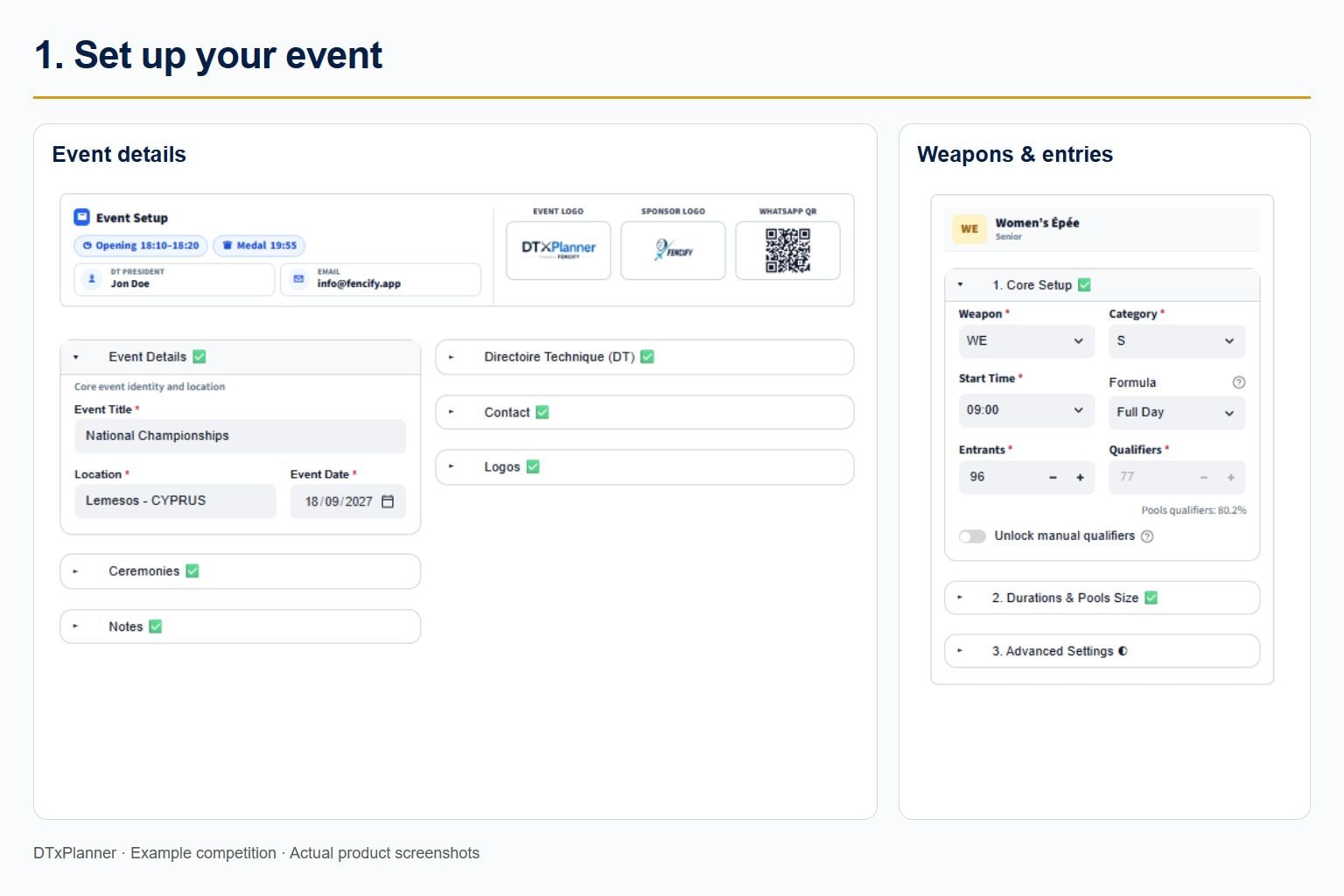

Build a coordinated timetable for multiple fencing weapons and categories sharing the same pistes. Review projected finishing times, piste use and referee demand—and test changes before event day.
Official Scheduling Partner - U23 European Fencing Championships, Cagliari 2026
Used by the Directoire Technique - Seniors European Fencing Championships, Antony 2026
Bring weapons, entry numbers, pistes and timing policies into one coordinated plan. Test your assumptions before committing to the competition timetable.

Will the competition finish on time?
Can the available pistes handle overlapping events?
Where will referee demand peak?

Plan overlapping events
Build one coordinated timetable for multiple weapons and categories sharing the same pistes.

Check projected finishing times
See how start times, entry numbers and round durations affect the competition day and its projected finish.

Review piste and referee demand
Inspect piste allocation and capacity previews to identify busy periods and peaks in referee demand.

Test changes before event day
Change an input, rerun the planner and review the effect on your timetable and resource demand.
See how DTxPlanner works in three steps. Explore real screens from an example competition.
Enter your event details, weapons, categories and entry numbers—or start from a sample competition.
Open screenshot 1 at full sizeSet your venue, available pistes and operational rules, including video, call room, finals timing and referee requirements.
Open screenshot 2 at full size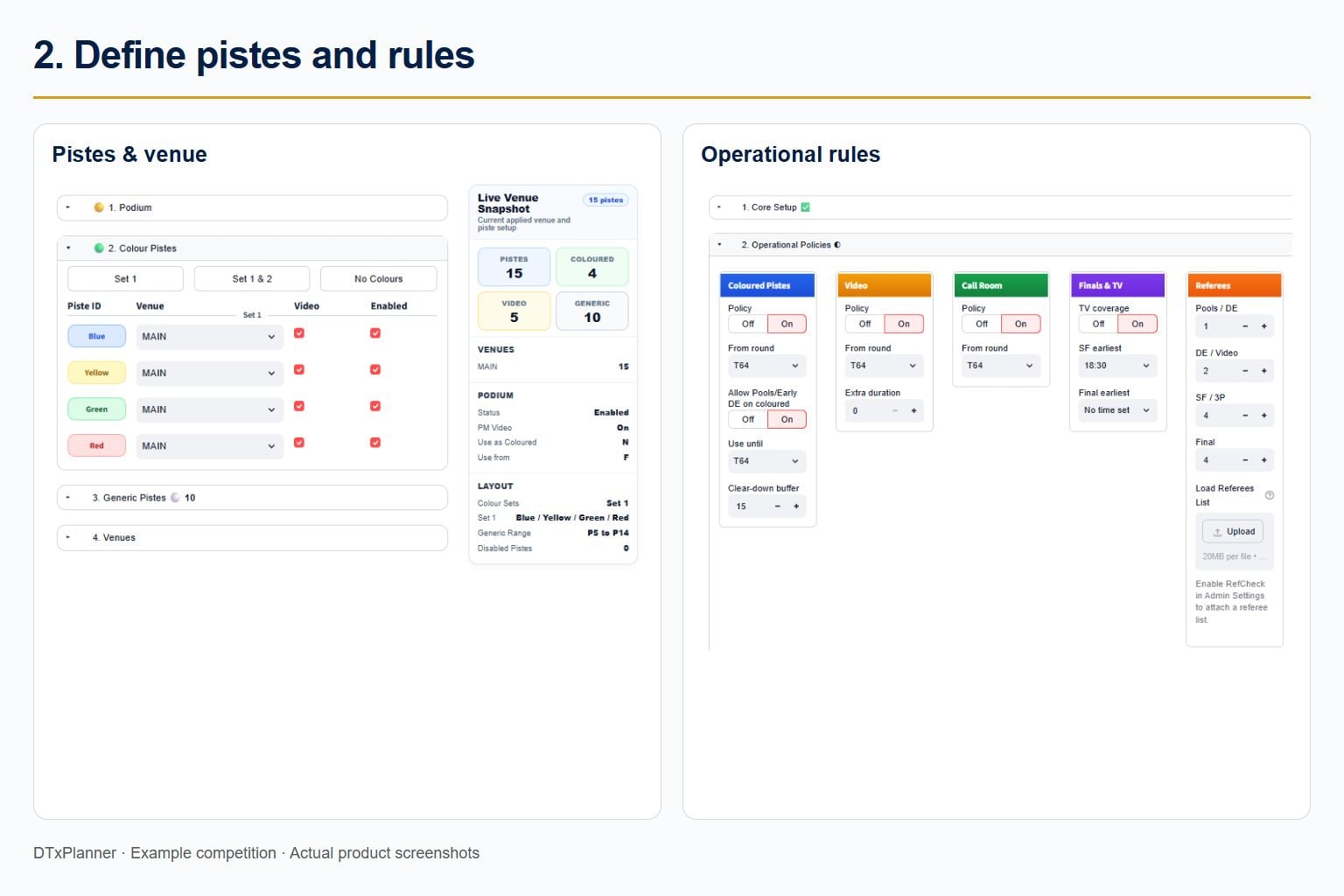
Inspect the timeline, projected finishing times, piste allocation and capacity previews. Change an input and rerun to test another scenario.
Open screenshot 3 at full size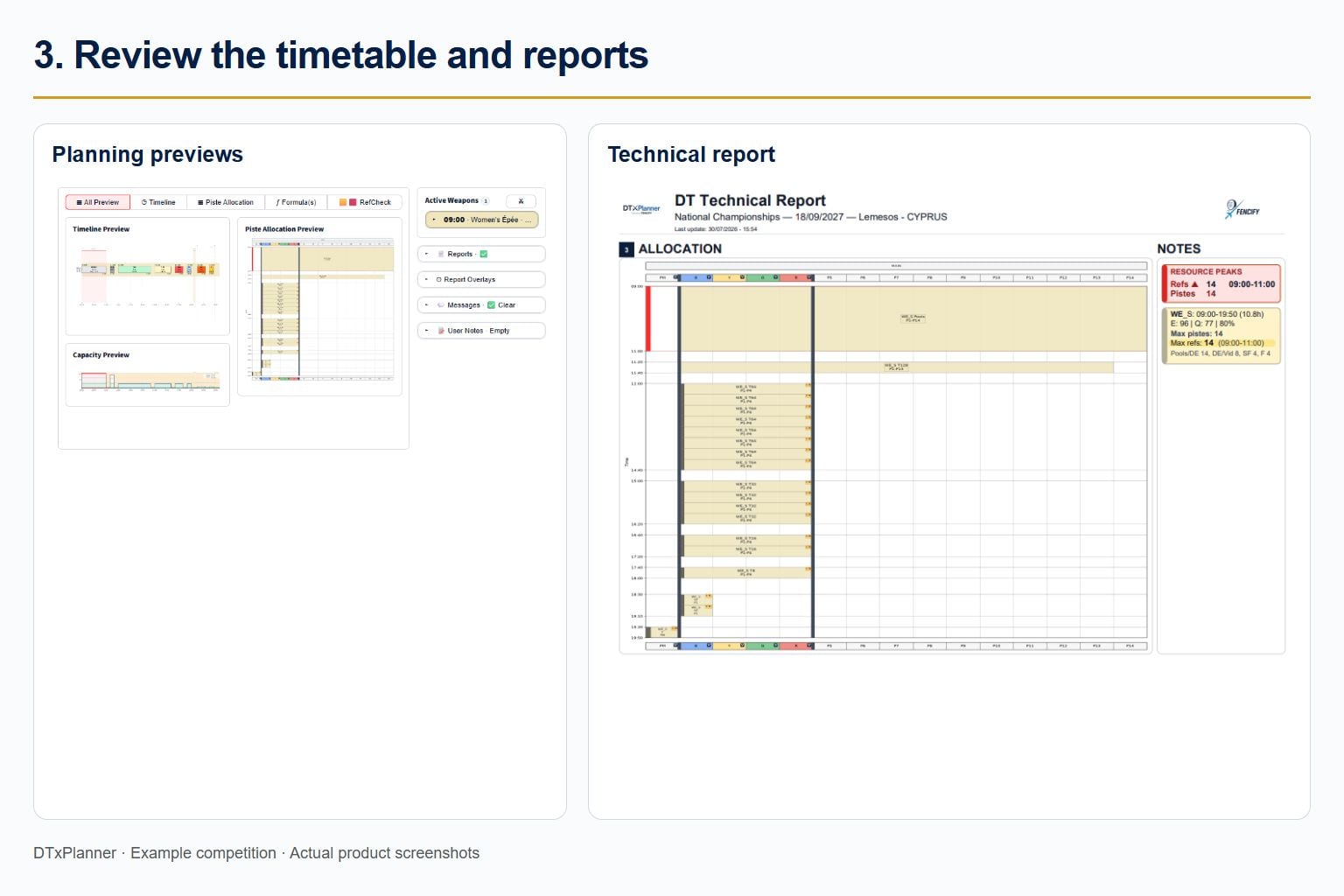
Explore these planning views during your seven-day Demo.

DTs and competition planners
Build and review the whole competition day: overlapping events, round flow, piste allocation and projected finishing times.
Federations
Prepare national and international competition days with a consistent, repeatable planning approach.

Local Organising Committees
Use a clear timetable to coordinate venue teams, volunteers and support services around the planned competition day.
Referee Delegates
Review peaks in referee demand. With a referee list, use RefCheck to support feasibility review before final appointment decisions.

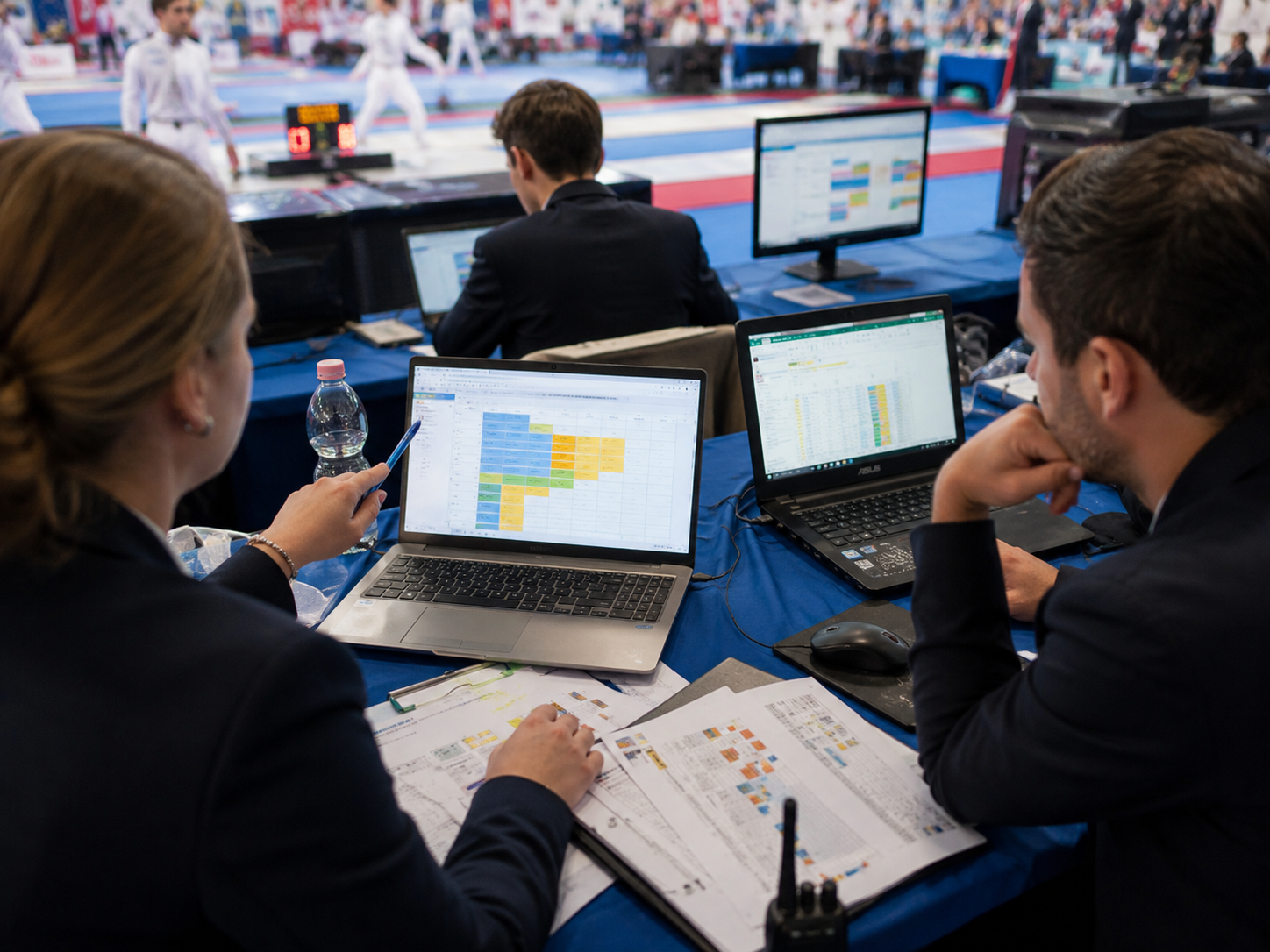
DTxPlanner was used as the Official Scheduling Partner of the U23 European Fencing Championships — Cagliari 2026.

Supported pre-event timetable planning and feasibility review.
Helped align LOC, referee delegates and operational teams.
Provided structured daily timetable outputs.

DTxPlanner helped Directoire Technique members prepare and review competition schedules at the European Senior Fencing Championships, Antony 2026.
Built realistic competition timetables before competition day.
Reviewed piste capacity and referee demand before the event started.
Improved coordination between DT, Referee Delegates and the LOC.
Available now
Test a sample competition or your own scenario. Review the timetable, piste use and referee demand, then try a change. Seven days of planning and on-screen previews; final report downloads are not included. Start date and capacity limits are confirmed before activation.
7 days
Coming soon: Competition Pass for occasional events · Custom subscriptions for recurring needs.
Planned access for two single-day events within three months, including final reports. Not available yet.
Coming soon
Planned subscription for recurring events, federations and tailored requirements. Not available yet.
Coming soon
Enter event details
Weapons, categories, entries, pistes, venue setup, special rules and operational constraints.
DTxPlanner builds the timetable
The system prepares a structured competition plan with timing, capacity and round flow.
Simulate, review and adjust
Different timetable options can be tested before publication, then adapted if real conditions change during the event.
Use the reports
Share clear outputs with DT, LOC, referees, volunteers and stakeholders.
Understand Demo access and what happens after you request it.
Does DTxPlanner replace FencingTime or other fencing software?
No. Use DTxPlanner to prepare and review the timetable before entering it into your competition software. Keep registration, seeding, live scoring and results in your existing systems. Timetable transfer is manual.
What can I test during the Demo?
Start from a sample competition or enter your own event. Set pistes and timing policies, run the planner, then inspect the timeline, piste allocation and capacity previews. Change an input and rerun to review the effect. Projected timings depend on your inputs and assumptions; the DT and organiser remain responsible for the official timetable.
How do I get access and sign in?
Send a Demo request. We respond within 1 business day to review your request and confirm your start date and capacity limits. After approval and activation, you will receive password-setup instructions and a sign-in link. Already have an account? Use Sign in at the top of this page.
Which plans are available now?
The seven-day Demo is currently available by request and includes planning and on-screen previews. Final report downloads are not included. Competition Pass and Custom subscriptions are coming soon and cannot be requested yet. Pricing will be published when paid access launches. No payment is taken through this form.
Test a sample competition or explore your own event with a seven-day Demo. We respond within 1 business day.
We use your details to review and respond to your Demo request. Read our Privacy Policy.
Your request is sent to info@fencify.app for personal review. We confirm your start date and capacity limits, then send account-setup and sign-in instructions. No payment is taken and this form does not subscribe you to marketing emails.

See what your next competition day could look like.



© 2026 Fencify. All rights reserved.